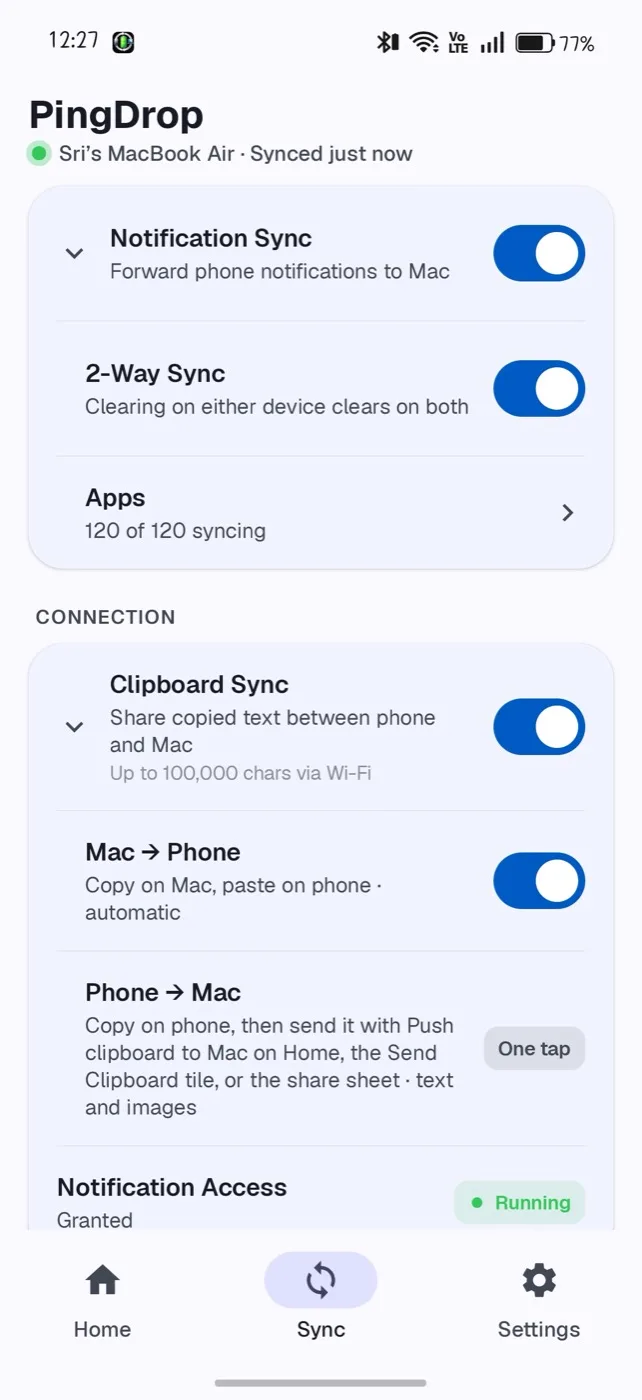
Your phone's notifications, on your Mac.
Choose which apps, one by one. Clear one on either side and it's gone from both.
Click × on the Mac or the phone
Notifications, clipboard, files and battery — over your own Wi-Fi or Bluetooth. No account. No cloud. Encrypted end to end.
Flight 6E 2131 · Gate 14 · 06:40
Wi-Fi password: sunflower42
Hotel check-in after 2 pm
Select any text and press ⌘C


Landed! What's the hotel Wi-Fi?
Click a file on the Mac's desktop, the clock, or the PingDrop icon in the menu bar.
Features
Each one below is a working little Mac and phone — try them.
Choose which apps, one by one. Clear one on either side and it's gone from both.
Click × on the Mac or the phone
Mac to phone automatically. Phone to Mac with one tap — Push clipboard to Mac, the Quick Settings tile, or the share sheet.
What's the Wi-Fi?
Drop files on PingDrop in the menu bar, or share from any Android app. They land in Downloads.
Click a file on the Mac, or a photo on the phone
Photos
Downloads
Nothing yet
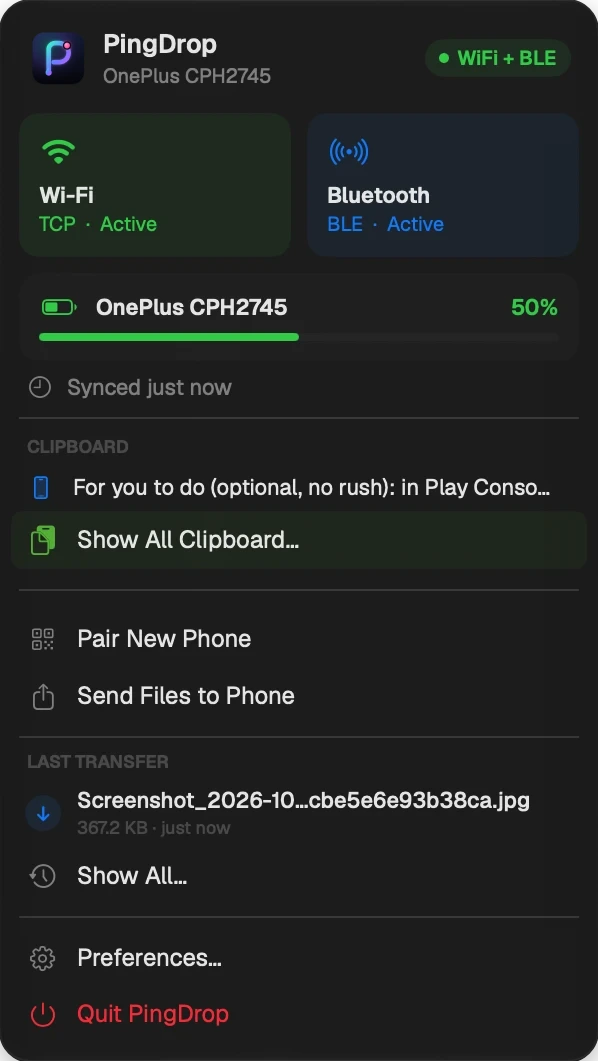
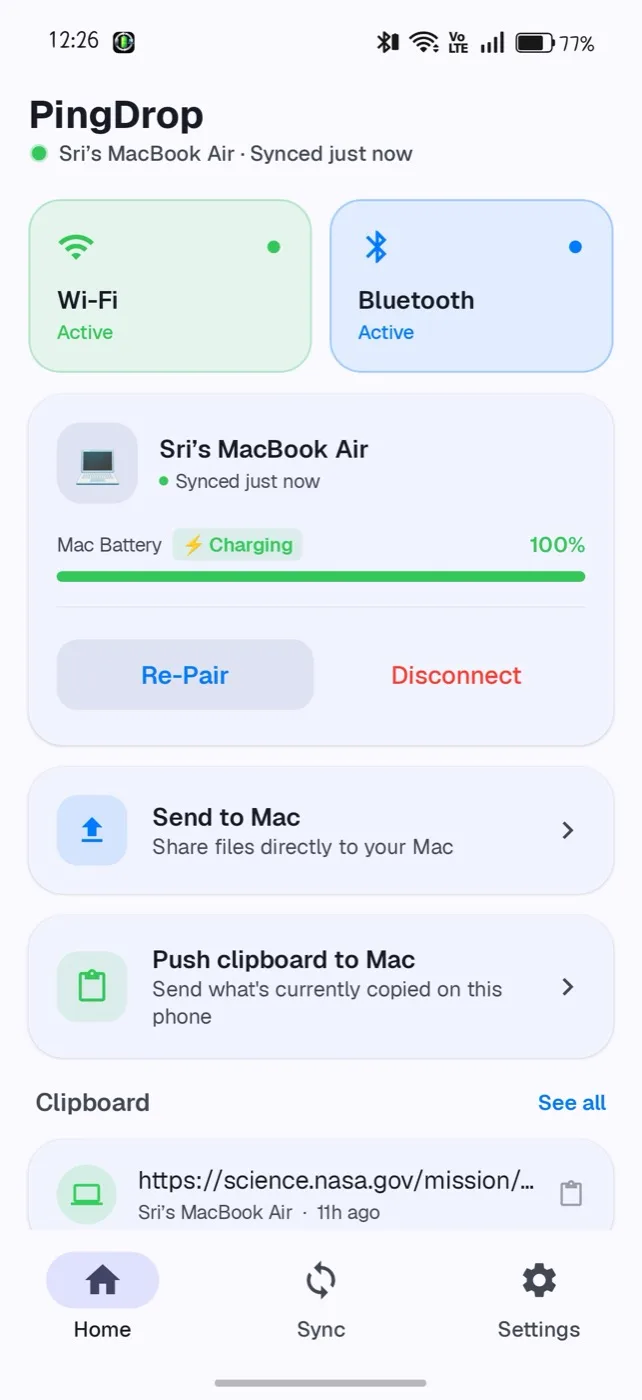
Your phone's battery in the Mac menu bar, your Mac's on the phone — with alerts when it matters.
Wi-Fi at home, Bluetooth LE when you're out. It switches over on its own.
Phone and Mac talk directly, encrypted with AES-256-GCM. No account, no server — the Mac app makes no internet connections.
Hover the wire to read what's on it
9f2c a71e 04bdOn the Wi-FiEach app notices when the other is out of date. Android updates itself from Google Play.
The apps
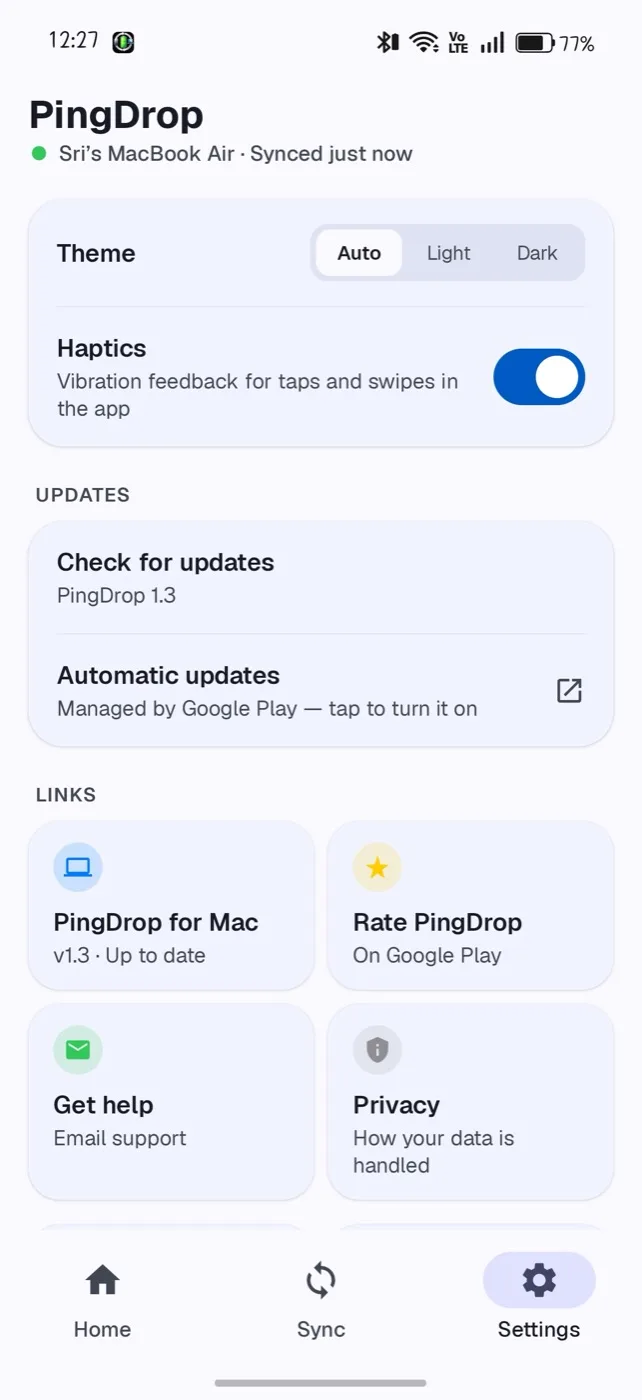
A menu bar app on the Mac. Three simple tabs on the phone.


How it works
PingDrop from Google Play on your phone, and the Mac app from below. It lives in the menu bar, not the Dock.
On the Mac: menu bar icon → Pair New Phone. On the phone: Pair with Mac, then scan the code.
Allow notification access when asked. Both sides connect within seconds, and reconnect on their own.
One purchase in the Android app — no subscription — unlocks Pro on your phone and your Mac.
Bigger in PingDrop 1.4PingDrop Pro
Pick a folder once — Screenshots, Camera, anything. Every new file in it goes to your Mac on its own, no tapping Send.
WhatsApp, Telegram, SMS — reply on the Mac without picking up your phone.
See what's playing on your phone — then play, pause or skip from the Mac.
Use the buttons on the Mac
Search the last 30 days of your phone's notifications, on your Mac. Kept on the Mac only.
Your Mac's battery at a glance, with Send, Clipboard and Ring Mac one tap away.
Tap Ring Mac on the widget
Download
Android 7.0 or later. Updates through Google Play.
macOS 14 Sonoma or later. A small menu bar app.
brew install --cask neerajreddyapi/tap/pingdrop
FAQ
Yes. Both apps are free. The Android app shows a small banner ad and, now and then, a full-screen ad after a transfer. Free transfers are up to 2 GB each, with 3 bigger ones to try. A one-time PingDrop Pro purchase removes the ads and the limit — along with unlocking the Pro features.
No. Your phone and Mac talk directly over your local network or Bluetooth, encrypted with a key that never leaves the two devices. There's no account and nothing in the cloud. The only internet traffic is Google's ads, billing and update services in the Android app — PingDrop never passes your notifications, clipboard or files to them.
Same Wi-Fi is fastest. When they aren't, PingDrop falls back to Bluetooth LE as long as they're in range.
Yes. Click Ring Phone in PingDrop's menu bar and your phone rings loudly for up to 30 seconds, even on silent. It works the other way too: Ring my Mac on the phone.
No. You pick one folder with Android's own folder picker, and PingDrop can read only that folder. Only files added after you chose it are sent, over your Wi-Fi, to your Mac.
No — PingDrop is for Android phones and Macs.
One phone per Mac. Pair New Phone replaces the current one.
Some Android phones stop background apps to save battery. If PingDrop shows Battery Optimization Active, tap Fix and let it run unrestricted.
Allow it — that's how the Mac reaches your phone. PingDrop only ever talks to the phone you paired.
On the Mac, quit PingDrop from its menu and drag it from Applications to the Bin. On Android, uninstall it like any other app.
Support
PingDrop is free. If it saves you a few trips to your phone, a coffee keeps it going.